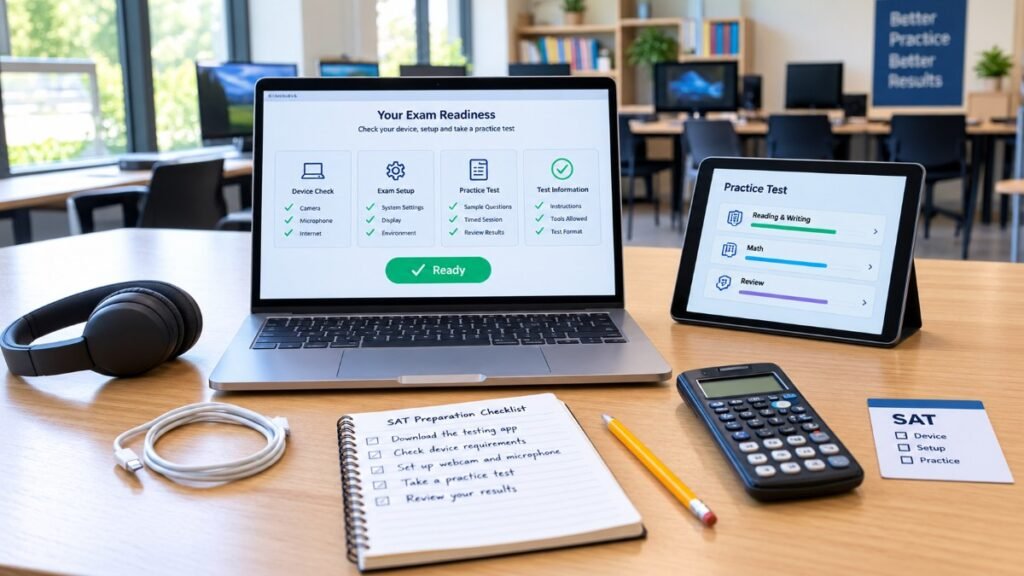
If you’re taking the digital SAT, there’s a good chance you’ve heard the name Bluebook College Board.
For many students, the first question is simple: What is Bluebook, and what am I supposed to do with it?
Bluebook is College Board’s digital testing application. Students use it to practice for the digital SAT, complete exam setup, get an admission ticket, and take the SAT on test day. College Board also uses Bluebook for other digital exams, including digital AP Exams.
The important part is that Bluebook isn’t something you should open for the first time on Saturday morning.
You should download it early, make sure your device works, practice in the app, and complete the required exam setup before your SAT.
Here’s how the whole process works.
What Is Bluebook College Board?
Bluebook is the testing application College Board uses for the digital SAT.
Think of it as the software environment where the digital test actually happens.
You can use Bluebook before the SAT to take practice tests and explore the test preview. Then, when your actual test date arrives, you’ll use the same application to sign in, complete check-in, and take the exam.
Bluebook also includes several tools you’ll use during the SAT, such as the testing timer, calculator for Math, reference materials, and question-navigation features.
That makes learning the app part of SAT preparation—not just a technical chore.
For a broader explanation of the current digital test, see our Digital SAT Updates guide.
Do You Need a College Board Account to Use Bluebook?
For SAT Weekend, yes.
You’ll sign in to Bluebook with your College Board account when taking the SAT on a weekend.
For SAT School Day, schools can use a different sign-in process, including a unique sign-in ticket provided by the school.
This is one reason it’s important to keep track of the College Board account you used when registering.
If you don’t already have one, our How to Create a College Board Account guide explains how to get started.
And if you already have an account but are having trouble signing in, our College Board Login guide can help.
What Is Bluebook Used For?
Bluebook has several jobs.
You can use it to:
- Take the digital SAT
- Try the test preview
- Take full-length digital practice tests
- Practice the digital testing tools
- Complete exam setup
- Get your admission ticket
- Check important test information
- Take the actual SAT
College Board describes Bluebook as the app where students practice, complete exam setup, access their admission ticket, and take the exam.
So don’t think of Bluebook as something you only need on test day.
The earlier you become comfortable with it, the less attention the software will demand when you’re actually taking the SAT.
How Do You Download Bluebook for the SAT?
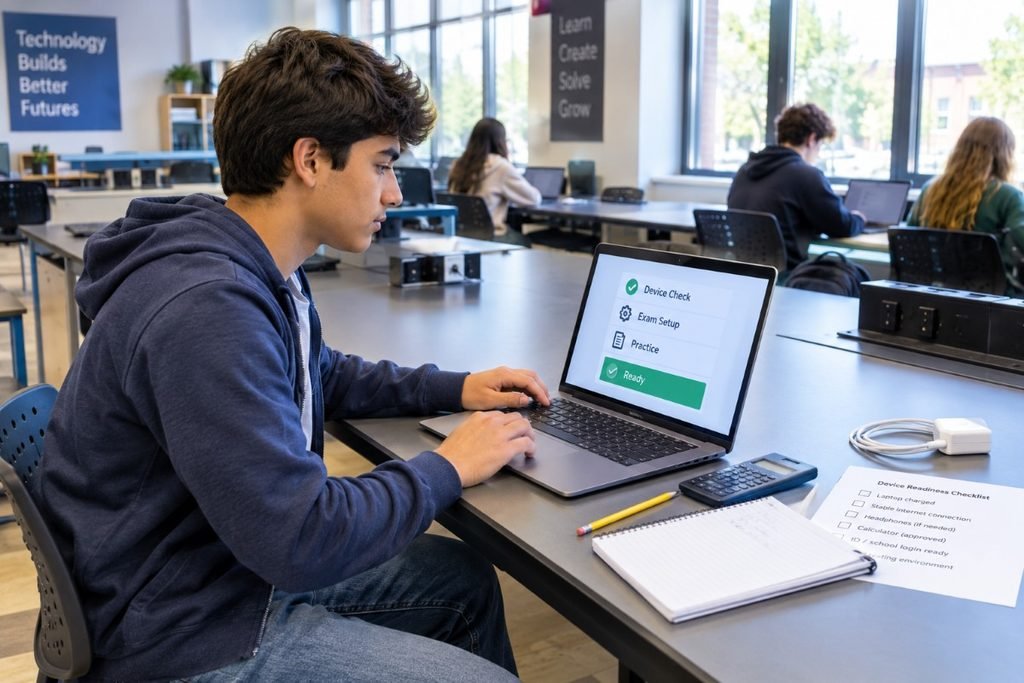
The first step is to download Bluebook on the device you plan to use for the SAT. College Board recommends starting this process well before test day so you have time to check your device and resolve any technical issues.
Download Bluebook from College Board
After installing it, open the application and use the device-check tools to make sure everything is working properly.
The first step is to download Bluebook on the device you plan to use for the SAT.
College Board recommends starting this process at least 30 days before test day. That gives you time to check the device, practice with Bluebook, and find another device if your first choice doesn’t meet the requirements.
You can download Bluebook through the official College Board/Bluebook system.
After installing it, open the application and use the built-in device check.
Don’t wait until your final week to discover that your computer has a compatibility problem.
What Devices Work With Bluebook for the SAT?
For SAT Weekend, College Board currently supports:
- Windows laptops or tablets
- Mac laptops
- iPads
- School-managed Chromebooks
There are some important restrictions.
You can’t take the SAT on a personal Chromebook or mobile phone. Linux and PureOS devices also aren’t supported for SAT Weekend.
That distinction matters because a Chromebook you use for school isn’t necessarily the same thing as a supported school-managed Chromebook.
If you’re unsure whether your device qualifies, check the official College Board SAT Device Readiness guide.
Our SAT Requirements guide can also help you review the broader requirements.
Is Windows 11 Required for Bluebook?
Yes.
For the 2026–27 testing year, Bluebook requires Windows 11 on supported Windows devices. College Board introduced this change because Windows 10 is no longer supported by Microsoft.
Before the SAT, check which Windows version your computer is running.
A laptop can be perfectly fine for everyday schoolwork and still fail the current Bluebook requirements.
Don’t assume.
Check.
Can You Use a Chromebook With Bluebook?
Yes, but only when the Chromebook meets the current requirements.
For 2026–27 testing, College Board says Bluebook works on Chromebooks only when verified mode is enabled.
This usually matters most for school-managed devices.
If you don’t control the settings on your Chromebook, contact your school’s technology staff before the test.
You don’t want your first conversation about verified mode to happen after you’ve arrived at the testing center.
Can You Use a Personal Chromebook?
No.
A personal Chromebook isn’t a supported SAT Weekend testing device.
The same goes for your phone.
If your normal device is a personal Chromebook, you’ll need to find another approved option or check whether you qualify for a College Board loaned device.
This is one of those details that’s easy to overlook because the word “Chromebook” sounds like it should cover every Chromebook.
It doesn’t.
Can College Board Lend You a Device?
College Board may be able to lend a testing device to eligible students who don’t have an approved device and can’t borrow one from school, family, or friends.
The timing matters.
For SAT Weekend, College Board currently requires students requesting a loaned device to register for a test date that is at least 30 days away. Submitting a request does not guarantee that a device will be provided.
So if you know you need a device, don’t wait until late registration.
Start the process early.
When Should You Download Bluebook?
Earlier is better.
College Board’s current guidance says to download Bluebook as soon as possible and begin checking the device at least 30 days before test day.
A simple timeline looks like this:
| Time | What to Do |
|---|---|
| 30+ days before | Download Bluebook and check your device |
| During preparation | Practice using Bluebook |
| 1–5 days before | Complete exam setup |
| After setup | Get your admission ticket |
| Test morning | Reopen Bluebook and check for messages |
This gives you enough time to solve device problems before they become test-day problems.
What Is Bluebook Exam Setup?
Exam setup is the short process you complete shortly before the actual SAT.
For SAT Weekend, College Board currently says students complete exam setup 1–5 days before the test. The application downloads the test and generates your admission ticket.
Before starting, make sure you’re connected to the internet.
You’ll also want to check that your personal information is accurate and matches your identification information.
Don’t skip this just because you’ve already downloaded the app.
Downloading Bluebook and completing exam setup are two different steps.
What Is the Bluebook Admission Ticket?
After you complete exam setup for SAT Weekend, Bluebook generates your admission ticket.
College Board says you can print the ticket or email it to yourself so you have it available on test day.
Keep it somewhere you can access easily.
It’s another reason not to leave exam setup until the last minute.
What Can You Practice in Bluebook?
One of the biggest advantages of Bluebook is that you can practice in the same digital environment you’ll use for the SAT.
Bluebook includes a test preview, which is a short untimed experience that lets you explore the digital testing environment and tools.
It also includes full-length digital practice tests that are scored. After finishing, you can review your performance and use the results to guide further practice.
This gives you two different ways to prepare:
Test preview: Get comfortable with the interface.
Full-length practice: Test your skills, timing, and stamina.
Both have a place in your preparation.
Are Bluebook Practice Tests Free?
Yes.
College Board provides full-length digital practice tests through Bluebook at no additional charge. After completing a practice test, students can view scores, review questions, analyze performance, and access targeted practice resources.
For a practical preparation strategy, our SAT Prep Study Guide explains how to use diagnostic tests, targeted practice, mistake review, and full-length practice together.
How Should You Use Bluebook Practice Tests?
Don’t take a full-length test just to get a score.
Use the first one as a diagnostic.
After the test, ask:
Which questions did I miss?
Which questions did I guess on?
Which topics keep causing problems?
Did I run out of time?
Were my mistakes mostly conceptual or careless?
Then use the answers to decide what to practice next.
College Board recommends using practice-test results to identify skills that need more work and then using targeted resources before taking another full-length test.
Our SAT Practice Test resource can help you make practice tests part of a larger study routine instead of treating them as isolated events.
What Tools Are Available in Bluebook?
The digital SAT gives you several built-in tools.
Depending on the section, you can use features such as:
- A testing timer
- An embedded calculator for Math
- Reference materials
- Zoom and pan for certain visual content
- Question-navigation tools
- Review and marking features
College Board has also introduced several Bluebook improvements for 2026–27, including a resizable embedded calculator and easier viewing of reference sheets, charts, graphs, and images.
The best time to learn these tools is while practicing—not during the real SAT.
Can You Use Your Own Calculator With Bluebook?
Yes, if it meets College Board’s calculator requirements.
You can use the built-in calculator in Bluebook or bring an approved handheld calculator.
The important thing is familiarity.
There’s no benefit to bringing a complicated calculator you’ve never used before.
Practice with the calculator you expect to use on test day.
What Happens When You Start the SAT in Bluebook?
For SAT Weekend, you’ll sign in to Bluebook, complete the required check-in steps, and then begin the exam.
The application provides the digital testing environment, including the timer and available test tools.
When the test is over, your answers are submitted through the application. College Board says the app automatically submits your answers, and if a submission problem occurs, your work is saved so you can complete the submission afterward.
That means you don’t need to manually upload a finished test yourself.
What Should You Do on Test Morning?
College Board recommends a short final device check before leaving for the test center.
Connect to the internet.
Close and reopen Bluebook.
Check for last-minute messages and updated test-center information.
Make sure the device has enough battery and storage.
This is a quick routine.
Do it every time.
What If Bluebook Won’t Open?
Don’t panic.
Start with the basics.
Check your internet connection.
Restart the app.
Make sure you’re using a supported device.
If you’re using a school-managed device, you may need help from the school’s technology staff because you may not have permission to change certain settings.
Content filters or a VPN can also interfere with Bluebook in some situations.
If the problem continues, don’t keep trying random fixes.
Get help before test day.
What If Your Device Doesn’t Pass the Check?
Your first step is to understand why it failed.
Maybe the operating system is outdated.
Maybe the required settings aren’t enabled.
Maybe the device doesn’t have enough available storage.
Maybe the school manages the computer and needs to make a change.
That’s why College Board recommends starting device preparation early.
If the device isn’t supported, find another approved option.
Don’t wait until the final morning.
What If You Use a School-Managed Device?
School-managed devices can require extra planning.
Your school may control:
- App installation
- Device permissions
- System settings
- Network settings
- Chromebook verified mode
- Accessibility settings
If you’re using a school-managed laptop or Chromebook, talk with your school’s technology staff early enough to fix problems.
College Board’s Bluebook guidance specifically recommends working with school staff when you don’t have the permissions needed to prepare the device yourself.
What About SAT School Day?
Bluebook is also used for SAT School Day, but the setup process can be different because your school manages the administration.
Your school may handle the device, testing environment, and student readiness process.
Students taking SAT School Day can also receive a unique sign-in ticket rather than using the normal SAT Weekend account sign-in process.
If your school is administering the SAT, follow the instructions provided by your school rather than assuming SAT Weekend rules apply exactly the same way.
Bluebook College Board and SAT Test Centers
Bluebook handles the digital test, but it doesn’t choose your test center for you.
Your registration determines where you’re scheduled to test, and test-center information can sometimes change.
Before test day, check your latest testing location information.
Our SAT Test Center Information guide can help you plan around the location and arrival details.
And remember that the new U.S. SAT waitlist introduced for fall 2026 is a registration option for full test dates or centers—not a feature that guarantees a seat.
Does Bluebook Work Without an Internet Connection?
Bluebook needs internet access for certain parts of the process.
You need a connection to download the app, complete setup, and connect to the test center’s system.
During the exam, a brief connection interruption doesn’t necessarily end your test. College Board says the internet connection is required at the start and end of testing, while students can continue testing through a temporary connection drop.
That said, you shouldn’t treat Wi-Fi preparation as optional.
Make sure the device can connect properly before test day.
What Are the Biggest Bluebook Mistakes Students Make?
Most problems aren’t complicated.
They’re usually planning mistakes.
Downloading Bluebook Too Late
Waiting until a few days before the SAT leaves little time to fix device problems.
Assuming Every Chromebook Works
Personal Chromebooks aren’t supported.
Ignoring School Device Settings
You may need your school’s technology staff to enable required settings.
Skipping Practice
A student can be academically prepared and still feel uncomfortable with the digital interface.
Waiting to Complete Exam Setup
Setup should be completed during the official 1–5-day window before SAT Weekend testing.
Forgetting the College Board Account Password
For SAT Weekend, you’ll need your College Board account credentials to sign in.
These problems are easy to avoid when you prepare early.
How Bluebook Fits Into Your SAT Study Plan
Bluebook shouldn’t replace your entire SAT study routine.
Think of it as the testing environment.
Your actual preparation can still include:
Concept review
Targeted questions
Mistake review
Timed practice
Full-length tests
Use Bluebook for realistic digital practice and checkpoints.
Then use your results to decide what to study next.
For a more structured routine, our SAT Prep Study Guide can help you build the academic side around your test date.
What Has Changed in Bluebook for 2026–27?
College Board’s current 2026–27 updates include several changes to the Bluebook experience.
Students can now resize the embedded calculator in Math.
Reference sheets have an updated viewing layout.
Students can also use zoom and pan to look more closely at charts, graphs, and images. (satsuite.collegeboard.org)
There are also updated technical requirements, including Windows 11 and verified mode for supported Chromebooks.
These changes don’t mean you need a completely different SAT study strategy.
They simply make digital practice more important.
Bluebook College Board Checklist
Before your SAT, make sure you’ve handled these basics:
Well Before Test Day
- Download Bluebook
- Check your device
- Run the device test
- Practice in Bluebook
- Resolve any technical issues
- Request a loaned device early if needed
1–5 Days Before SAT Weekend
- Connect to the internet
- Open Bluebook
- Verify your personal information
- Check your test information
- Complete exam setup
- Get your admission ticket
Test Morning
- Reopen Bluebook
- Check for messages
- Confirm test-center information
- Check battery and available storage
- Bring your required testing items
This simple checklist can prevent most of the avoidable Bluebook problems.
Frequently Asked Questions
What is Bluebook College Board?
Bluebook is College Board’s digital testing application. Students use it to practice, complete exam setup, access their admission ticket, and take the digital SAT.
Do I need a College Board account to use Bluebook?
For SAT Weekend, yes. Students sign in to Bluebook with their College Board account. SAT School Day can use a school-provided sign-in ticket.
Is Bluebook free?
Yes. College Board provides the Bluebook application and full-length SAT practice tests at no additional charge.
Where do I download Bluebook?
Students should download Bluebook through College Board’s official Bluebook resources and prepare the application on the approved device they plan to use.
What devices can run Bluebook for the SAT?
Supported SAT Weekend devices include Windows laptops or tablets, Mac laptops, iPads, and school-managed Chromebooks that meet the requirements.
Can I use Bluebook on my phone?
No. Mobile phones are not approved devices for taking the SAT.
Can I use a personal Chromebook for the SAT?
No. Personal Chromebooks are not supported for SAT Weekend testing.
Is Windows 11 required for Bluebook?
Yes. For the 2026–27 testing year, Bluebook requires Windows 11 on supported Windows devices.
Does Bluebook work on Chromebooks?
Yes, when the Chromebook is school-managed and meets College Board’s current requirements, including verified mode.
When should I download Bluebook?
College Board recommends starting at least 30 days before test day so you have time to check your device, practice, and find another device if necessary.
When do I complete Bluebook exam setup?
For SAT Weekend, students complete exam setup 1–5 days before the test. This also generates the admission ticket.
What happens if my device doesn’t work with Bluebook?
Find out which requirement is causing the problem, then work with your school or choose another approved device. College Board may be able to provide a loaned device to eligible SAT Weekend students.
Can College Board lend me a device?
It may be able to. Students requesting a loaned device for SAT Weekend need to register for a test date at least 30 days away, and the request is subject to availability.
Can I practice the SAT in Bluebook?
Yes. Bluebook includes a test preview and full-length digital practice tests.
Are Bluebook practice tests scored?
Yes. Full-length practice tests provide scores that you can review after completing the test.
Should I take Bluebook practice tests every week?
Not necessarily. Take them often enough to measure progress, but leave time between tests to review mistakes and work on weak areas.
Does Bluebook have a calculator?
Yes. The digital SAT includes an embedded calculator in Math, and students can also use an approved handheld calculator.
Can I resize the Bluebook calculator?
Yes. College Board added the ability to resize the embedded calculator for the 2026–27 testing year.
Does Bluebook have reference sheets?
Yes. Reference materials are available in the Math section, and College Board has improved how reference sheets and visual materials are displayed.
What happens if my internet connection drops during the SAT?
A brief connection interruption doesn’t necessarily stop the test. College Board says an internet connection is required at the start and end of testing, while testing can continue through a temporary interruption.
Can I use Bluebook for SAT School Day?
Yes. SAT School Day is also delivered through Bluebook, although the sign-in and device-preparation process can be handled differently by your school.
Do Bluebook updates change the SAT scoring system?
No. The Bluebook updates are mainly about the digital testing experience, tools, devices, and administration.
Does Bluebook replace SAT preparation?
No. It provides the testing environment and official digital practice. You still need to study Math and Reading and Writing, review mistakes, and practice under realistic timing.
Final Thoughts
The easiest way to think about Bluebook College Board is this:
Bluebook is where your digital SAT happens.
You use it before the exam to practice and prepare your device.
You use it shortly before the test to complete exam setup and get your admission ticket.
And you use it on test day to take the SAT.
The technical side doesn’t have to be difficult.
Download the app early.
Make sure your device is supported.
Practice in Bluebook.
Complete exam setup during the required window.
And check your device and test information before leaving for the test center.
The biggest mistake is waiting until test morning to figure everything out.
Get the technology out of the way early so you can spend your time doing what actually matters: preparing for the SAT.


No Comments