
When students search for SAT College Board, they’re usually looking for something practical.
Maybe they want to register for the SAT.
Maybe they need to log in to their College Board account, find a test date, download Bluebook, check a score, or figure out what to do after testing.
The problem is that all of those tasks are spread across different pages.
This guide brings the most important SAT and College Board information together so you can quickly find what you need.
What Is the SAT College Board?
The SAT is a college admissions test administered by College Board.
So when people search for SAT College Board, they aren’t looking for a separate exam. They’re usually trying to find the College Board services connected to the SAT.
College Board manages major parts of the SAT experience, including registration, testing, Bluebook, score reporting, test-center information, fee waivers, and official preparation resources.
The current SAT has two sections:
- Reading and Writing
- Math
The total score remains on a 400–1600 scale, with each section scored from 200–800.
The SAT is delivered digitally through Bluebook, and students should become familiar with the digital testing environment before test day.
For a broader explanation of recent digital changes, see our Digital SAT Updates guide.
Do You Need a College Board Account for the SAT?
Yes.
Students taking the SAT Weekend need a personal College Board account to register and access SAT-related information.
Your account is also where you can view registration details and, after testing, access your score information.
It’s important to use your own account rather than creating separate accounts for different SAT attempts.
Parents can certainly help with registration and planning, but the student’s SAT information is connected to the student’s account.
If you don’t have an account yet, our How to Create a College Board Account guide explains the basic process.
Already have one but can’t remember where to sign in? Our College Board Login guide can help.
How Do You Register for the SAT Through College Board?
SAT Weekend registration is completed online through College Board.
The basic process is:
- Sign in to your College Board account.
- Choose an SAT test date.
- Search for available test centers.
- Select your testing location.
- Complete your registration information.
- Upload the required photo.
- Pay the applicable fee or use eligible fee-waiver benefits.
- Finish the registration process.
College Board says online registration is the easiest way to sign up for the SAT.
You can use the official College Board SAT Registration page when you’re ready to register.
Our SAT Registration 2026 guide can also help you work through the process.
How Much Does the SAT Cost?
For U.S. students, the current SAT registration fee is $68.
College Board also lists additional fees for certain services, including late registration and some registration changes. The current late-registration fee for SAT Weekend testing is $38.
Eligible students using an SAT fee waiver can receive qualifying fee-related benefits.
Because fees can change, check the current fee information before you register.
For many families, the most useful approach is to decide on a test date first, then review the total cost before completing registration.
When Are SAT Registration Deadlines?
Every SAT Weekend administration has its own registration deadline.
For the 2026–27 testing cycle, College Board publishes both the regular registration deadline and the later deadline for changes, regular cancellation, and late registration. Deadlines expire at 11:59 p.m. ET in the United States.
As of October 3, 2026, for example, registration for the October 3 SAT has closed.
The next SAT Weekend date is November 7, 2026, with a regular registration deadline of October 23 and a late-registration deadline of October 27.
You can check the official College Board SAT Dates and Deadlines page before choosing your date.
Our Upcoming SAT Dates guide covers the broader testing calendar.
Can You Register Late for the SAT?
Yes, when the late-registration deadline for the specific SAT administration is still open.
Late registration is not a permanent extension.
If you miss the regular deadline, check your College Board account immediately to see whether late registration is available.
For example, a student who misses the regular October 23 deadline for the November 7, 2026 SAT may still have the October 27 late-registration deadline available, subject to the current registration rules and availability.
An additional fee applies to late registration.
If the late-registration deadline has also passed, you’ll need to look at another SAT administration.
Our SAT Late Registration guide explains the process in more detail.
What If Your SAT Test Center Is Full?
A full test center is different from a missed registration deadline.
You may still be within the registration period but discover that your preferred location has no open seats.
Beginning with fall 2026 testing, eligible students taking the SAT in the United States can join a new waitlist when preferred test dates or centers are full.
If a seat becomes available in the selected area, College Board may automatically place the student into that opening. The current waitlist fee is $0. A waitlist does not guarantee a seat.
If your college application timeline is tight, don’t rely entirely on the waitlist.
Check other nearby locations and available SAT dates.
For more help, see our SAT Test Center Information guide.
What Is Bluebook for the SAT?

Bluebook is the digital testing application used to deliver the SAT.
You’ll use it on test day, but it’s also part of your preparation.
College Board recommends downloading Bluebook before the exam so you can practice and make sure your device works properly.
Registered students complete exam setup 1–5 days before the test. The setup downloads the test and generates the admission ticket you’ll need to be admitted to the test center.
That means you shouldn’t treat Bluebook as something you’ll figure out on the morning of the SAT.
Use it before the test.
What Devices Can You Use for the SAT?
College Board currently supports several device types for SAT Weekend testing.
These include:
- Windows laptops or tablets
- Mac laptops
- iPads
- School-managed Chromebooks that meet the requirements
A personal Chromebook cannot be used for the SAT, and a mobile phone is not an approved testing device.
If you’re unsure about your device, check the official College Board SAT Device Readiness page before test day.
Don’t assume that a device you use for homework automatically qualifies for the SAT.
Is Windows 11 Required for the SAT?
Yes.
For the 2026–27 testing year, College Board says Bluebook requires Windows 11 because Microsoft no longer supports Windows 10.
If you’re planning to use a Windows computer, check the operating system well before your SAT date.
If the computer is owned or managed by your school, you may need help from the school’s technology staff.
Can You Use a Chromebook for the SAT?
Yes, but only under the supported setup.
College Board says Bluebook works on supported school-managed Chromebooks when verified mode is enabled. Personal Chromebooks aren’t supported.
This is particularly important for students who normally use a school Chromebook but don’t have administrator access.
Ask your school’s technology staff to confirm that the device meets the requirements.
Can College Board Lend You a Device?
It may be able to help eligible students who don’t have access to an approved testing device and can’t borrow one elsewhere.
College Board currently requires students who need a loaned device to request one at least 30 days before test day.
A loaned device isn’t something you should plan around at the last minute.
If you already know you need one, start the process early.
What Has Changed With the Digital SAT?
The Digital SAT continues to evolve.
For the 2026–27 testing year, College Board has introduced several student-facing changes, including a resizable embedded calculator and improved viewing for reference sheets, charts, graphs, and images.
There’s also the new U.S. waitlist and updated device and accommodation requirements.
These changes don’t mean you need to learn a completely new SAT.
They mostly affect the tools and testing experience around the exam.
Does the SAT Still Use a 400–1600 Score?
Yes.
The SAT continues to use a total score range of 400–1600.
Reading and Writing and Math are each scored from 200–800.
The digital format doesn’t change that basic score scale.
What does matter is understanding how the current adaptive SAT is structured.
Each section has two modules, and performance on the first module affects the difficulty mix of questions in the second.
So a difficult second module isn’t necessarily a sign that you’re doing poorly.
How Do You Check Your SAT Score on College Board?
After you take the SAT, your score becomes available through your College Board account.
Your Student Score Report shows your total score and section scores, along with additional information about your performance.
Students should use the same College Board account connected to their SAT registration when checking their results.
If you’re waiting for a score, check the scheduled release date rather than assuming every SAT score becomes available on the same day.
Our SAT Score Release Dates 2026 guide covers the current score-release calendar.
What Is an SAT Score Report?
Your SAT score report gives you a more detailed picture of your performance than the total score alone.
You’ll see your total score and separate Reading and Writing and Math scores.
The report also provides performance information that can help you identify areas to work on if you’re planning another SAT attempt.
Our SAT Score Reports guide explains what you can expect to see in your results.
The useful question after receiving your score is not simply:
“What number did I get?”
It’s also:
“What does this result tell me about my next step?”
Can You Send SAT Scores to Colleges Through College Board?
Yes.
College Board provides a system for sending SAT scores to colleges and other organizations when students need official score reports.
But the college’s own policy matters.
Some schools allow applicants to self-report scores during the application process.
Others may require official reports.
Some colleges may also have their own rules for how many scores they want to see.
So before sending scores, check the current requirements for every college on your list.
Don’t assume that the same SAT score-reporting rule applies everywhere.
Does College Board Automatically Send Your SAT Scores?
No.
Students control whether scores are sent in situations where score sending is required or appropriate, subject to the relevant college and College Board procedures.
That’s why it’s worth understanding the score-reporting rules before submitting applications.
Sending a score isn’t something you should do automatically without checking the college’s instructions.
How Do You Prepare for the College Board SAT?
You don’t need dozens of SAT resources.
A simple preparation cycle can work well:
Take a realistic practice test.
Find your weak areas.
Practice those skills.
Review your mistakes.
Take another practice test later.
Students who want a structured approach can also follow our SAT Prep Study Guide for a step-by-step preparation plan.
Bluebook provides official digital practice, and College Board also offers targeted practice resources.
You can supplement that with a structured plan using our SAT Practice Test resource.
The biggest mistake is taking practice tests without learning from them.
A score tells you where you are.
Your mistake review tells you what to do next.
What Is the Student Question Bank?
The Student Question Bank is an official College Board practice resource that lets students target SAT questions by areas such as section, domain, skill, and difficulty.
That can be useful after a diagnostic test.
Suppose your practice results show that you repeatedly miss questions involving a specific Math skill.
Instead of taking another random full-length test, you can target that skill.
This is one of the simplest ways to make your study time more focused.
Can You Prepare for the SAT Without a Tutor?
Absolutely.
Some students do well with independent preparation using official practice tests, targeted questions, a mistake log, and a consistent schedule.
Others prefer tutoring because they want personalized explanations or accountability.
Before paying for outside help, figure out what problem you’re trying to solve.
Do you need help with Math?
Reading and Writing?
Timing?
Consistency?
Test analysis?
Knowing that answer makes it much easier to choose the right kind of support.
How Do Parents Fit Into the SAT College Board Process?
Parents can be helpful with planning.
They can help students compare test dates, remember deadlines, plan transportation, review costs, and make sure a device is ready.
But the SAT account belongs to the student.
Parents don’t need to create a separate account for the student’s SAT activity.
A good setup is usually simple: the student controls the College Board account, while a parent helps with planning when needed.
What If You Need SAT Accommodations?
Students with approved testing accommodations should review the current instructions connected to their approval.
College Board has made changes for some accommodations beginning with fall 2026 testing.
For example, students approved for Text-to-Speech (Embedded) accommodations will generally take SAT Weekend at a test center unless another approved school-based accommodation applies.
Students approved for text-to-speech or screen-reader accommodations also need their own wired, non-Bluetooth headphones.
If you use an accommodation, don’t rely on what you remember from an earlier SAT.
Check the current requirements for your specific approval.
What SAT Rules Should You Know Before Test Day?
The SAT has rules covering devices, prohibited items, test security, registration, and testing procedures.
Phones, smartwatches, Bluetooth devices, and other prohibited items shouldn’t be treated as harmless accessories.
A device can also create a problem if you’re using it in a way the testing rules don’t allow.
That is why students should review the current rules before the test rather than depending on what they remember from school testing.
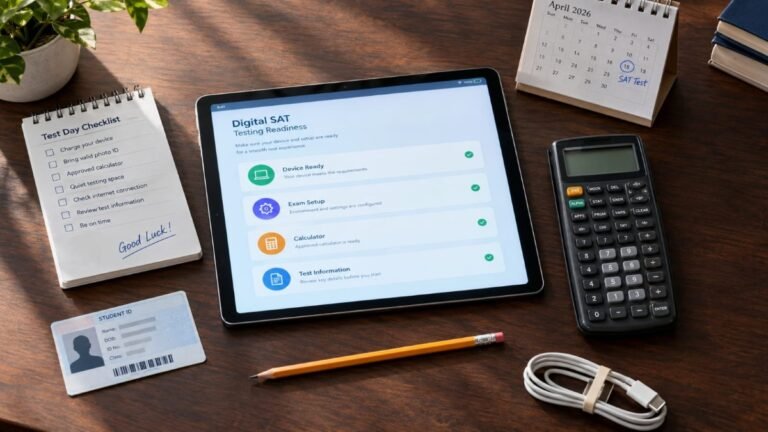
SAT College Board Checklist
Before your SAT, make sure you have handled the basics.
College Board Account
- Your account is your own.
- You know your login information.
- Your registration is connected to the correct account.
Registration
- You selected the correct SAT date.
- You selected a suitable testing location.
- You know the relevant registration deadlines.
- Your registration is complete.
Device
- Your device is supported.
- Bluebook is installed.
- You know how your device will be used on test day.
- You have handled any loaned-device request early enough.
Preparation
- You’ve taken a realistic practice test.
- You know your weak areas.
- You’ve practiced Math and Reading and Writing.
- You’ve reviewed your mistakes.
- You’ve practiced digitally.
Scores
- You know your expected score-release date.
- You know where to find your score.
- You understand what your score report shows.
- You’ve checked your colleges’ score-reporting requirements.
Frequently Asked Questions
What is SAT College Board?
SAT College Board usually refers to the SAT services provided through College Board, including registration, Bluebook, test information, score access, and official SAT resources.
Do I need a College Board account to take the SAT?
Yes. Students taking SAT Weekend use a personal College Board account to register and access their SAT information.
How do I register for the SAT through College Board?
Sign in to your College Board account, choose a test date and available testing location, complete the required information, upload the required photo, and pay the applicable fee or use eligible fee-waiver benefits.
How much does the SAT cost?
The current U.S. SAT registration fee is $68. Additional fees can apply for services such as late registration.
What is Bluebook?
Bluebook is the digital testing application used to deliver the SAT.
Do I need Bluebook to take the SAT?
Yes. The SAT is administered digitally through Bluebook, and registered students need to prepare the application before test day.
Can I take the SAT on my phone?
No. A mobile phone isn’t an approved SAT testing device.
Can I use a personal Chromebook?
No. College Board currently supports school-managed Chromebooks that meet the required setup, but personal Chromebooks aren’t supported.
Is Windows 11 required for the SAT?
Yes. Bluebook requires Windows 11 for the 2026–27 testing year.
What if my SAT test center is full?
Check other available test centers and dates. Eligible students testing in the United States can also use the new waitlist when a preferred date or center is full.
Does the SAT waitlist guarantee a seat?
No. A waitlist gives eligible U.S. students another opportunity if a seat becomes available, but a seat is not guaranteed.
Can College Board lend me a device?
College Board may be able to lend a device to eligible students who don’t have another approved option. Requests need to be made at least 30 days before test day.
How do I check my SAT score?
Sign in to your College Board account and open your Student Score Report when your score becomes available.
Does the SAT still use a 400–1600 scale?
Yes. The total SAT score remains 400–1600.
Can I take the SAT more than once?
Yes. Students can take the SAT multiple times when additional testing fits their goals and timeline.
Can I send SAT scores to colleges?
Yes. College Board provides score-reporting services, but the college’s current admissions policy determines whether official scores are required.
Does College Board automatically send my scores to every college?
No. Students generally control score sending in accordance with the applicable college and College Board procedures.
Is SAT School Day the same as SAT Weekend?
Both use the digital SAT format, but SAT School Day registration is coordinated by schools or districts rather than through the standard individual SAT Weekend registration process.
What is the new SAT waitlist?
Beginning with fall 2026 testing, eligible students testing in the United States can join a waitlist when preferred SAT dates or centers are full.
Where can I find official SAT information?
The best place to start is College Board’s current SAT registration, dates and deadlines, and device-readiness information.
Final Thoughts
For most students, SAT College Board comes down to a few basic tasks.
Create your College Board account.
Register for the SAT.
Choose a date and test center.
Prepare your device and Bluebook.
Study with realistic practice.
Then use the same account to check your score after the test.
You don’t need to memorize every College Board page or rule.
What matters is knowing where to handle the important parts of your SAT and checking the current requirements before you act.
The SAT continues to evolve, especially on the technology side, but the basic process remains manageable.
Use your College Board account as your starting point, keep track of your deadlines, prepare your device early, and make your SAT decisions based on your own college timeline.


1 Comment
[…] For current SAT registration, testing information, official resources, and other College Board-related information, see our SAT College Board guide. […]